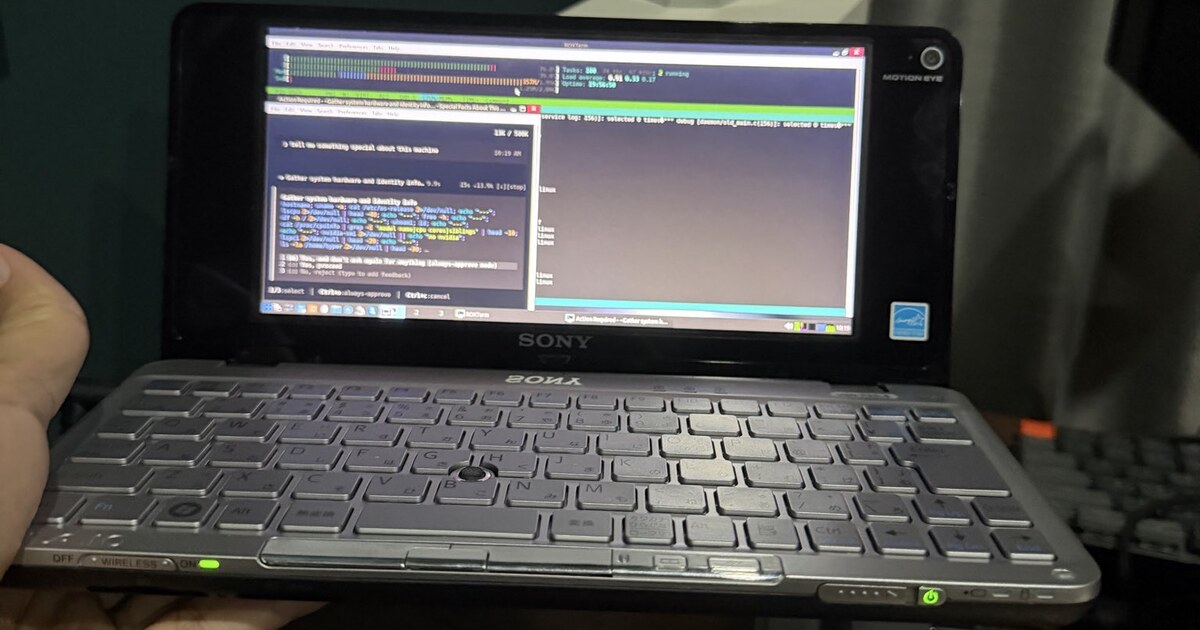
I picked up a Sony Vaio P — the ridiculous 2009 pocket laptop with the lipstick-tube hinge — and decided to actually use it again, not just put it on a shelf.
That meant three stubborn goals:
- Restore the machine carefully (keep the stock Windows image so I can always go back)
- Run a modern 32-bit Linux that still boots on Intel’s ancient Poulsbo / GMA 500 graphics
- Run a real AI coding CLI on that box — not a toy, the actual open-source Grok agent
Official builds of almost everything that matters are 64-bit only. The Vaio’s Atom Z550 is pure 32-bit. So nothing “just installs.”
This post is the path that worked: antiX i386 on the machine, and a home-built i686 Grok CLI shipped as mattkanwisher/grok-i686.
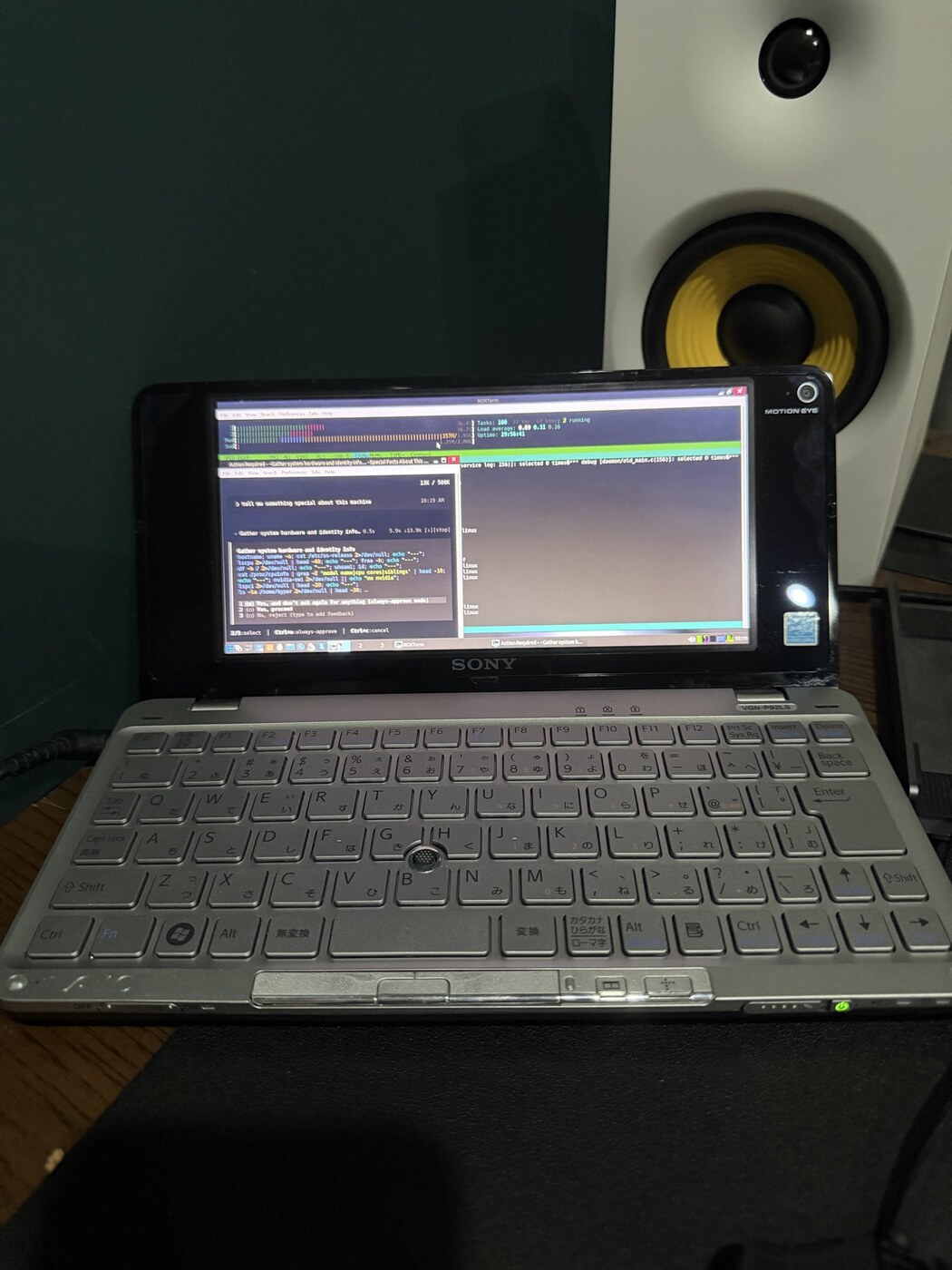 VGN-P92LS on the desk — Grok CLI open in the TUI. Same photos as the X post.
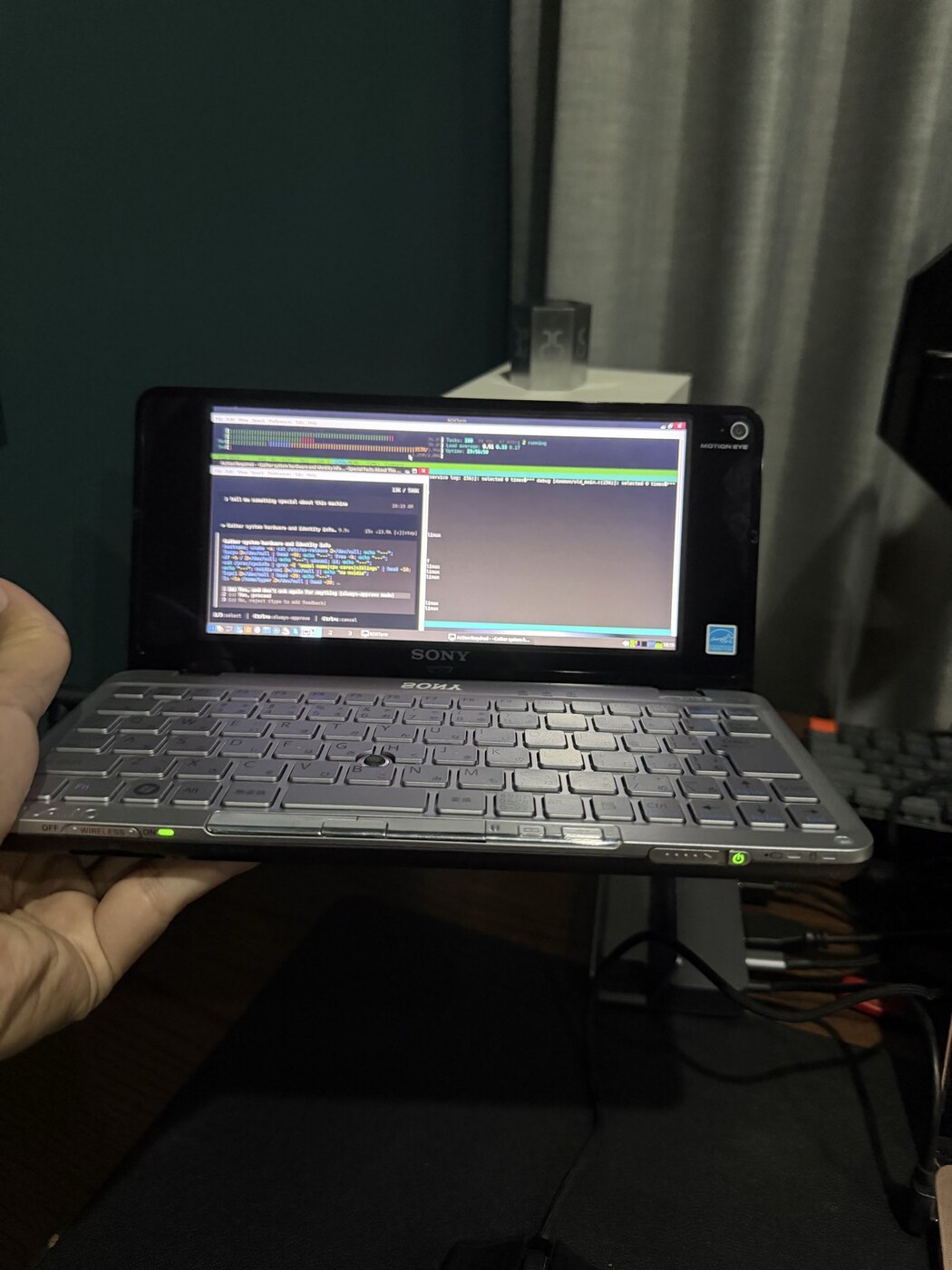 Scale check: still the smallest serious laptop form factor Sony ever shipped.
The machine I’m restoring
From the hardware notes in the Vaio retrofit project (vaio_p_modding / local research tree):
| Spec | Value |
|---|---|
| Model (mine) | VGN-P92LS (JP market P3 line) |
| CPU | Intel Atom Z550, single core + HT — i386 only |
| Chipset / GPU | US15W Poulsbo / GMA 500 (the Linux graphics villain) |
| RAM | 2 GB DDR2, soldered |
| Storage | 1.8″ ZIF (stock 64 GB Samsung SSD on this unit) |
| Display | 8″ 1600×768 |
| Era | ~2009 — about 15 years old |
Long-term the bigger project is a CM5 board swap inside the same chassis. Short-term I wanted the stock silicon useful: backup Windows, install a light 32-bit Linux, get an AI CLI on it.
Step 1 — Don’t brick the donor: antiX live + full SSD backup
Before rewriting the disk, I imaged the stock Windows 7 layout (Sony recovery + System Reserved + main NTFS) with partclone + zstd onto a USB key labeled VAIO_BACKUP.
That work is scripted in the Vaio repo under scripts/ssd-backup/. The important operational detail:
Boot antiX-26 386 live USB (needs
nomodeseton the Vaio’s GMA 500), installpartcloneandzstd, mount the backup key, then run the backup script as root.
Why antiX, not Ubuntu or Mint?
- It still publishes a real 386 live image that boots on this class of hardware
- It’s light enough to run from USB with 2 GB RAM
- Community report on similar machines: heavier desktops crawl; light 32-bit distros are the ones people still daily-drive (r/SonyVaioP “using a Vaio P in 2024” and friends)
GMA 500 + nomodeset: without that kernel arg, live sessions often hang or show a black screen. That is the Poulsbo tax everyone pays in 2026.
Once the backup verified, the installed OS on vaiop-blk1 became antiX on Debian 13 (trixie) i386 — glibc 2.41, enough room for modern packages, still 32-bit end-to-end.
Step 2 — I want an AI CLI. Nothing ships for i686.
xai-org/grok-build is open source. Upstream ships no release binaries for i686 (and no generic “download for Atom” story).
Rust can target i686-unknown-linux-gnu (Tier 1). That doesn’t mean the dependency graph cares about your netbook:
| Wish | Reality |
|---|---|
| Official Grok CLI package | ❌ no i686 artifact |
cargo install on the Vaio itself | ❌ 2 GB RAM + multi-hour link = bad idea |
| “Just use a container on the Atom” | ❌ still no free lunch for disk/RAM |
| Cross-compile from a real x86_64 box | ✅ the path that worked |
Goal restated: 32-bit Linux on the Vaio + 32-bit Grok binary that runs natively there. Both halves had to be built or installed by hand.
Step 3 — Cross-compile Grok for i686
Build host: any x86_64 Linux with multilib (do not build on the Atom). Scripted end-to-end in grok-i686:
git clone https://github.com/mattkanwisher/grok-i686.git
cd grok-i686
./scripts/build-i686.sh
# → dist/grok   (ELF 32-bit Intel 80386)
On the Vaio:
# needs git-lfs for the ~170 MB artifact
scp dist/grok vaiop-blk1:~/.local/bin/grok
ssh vaiop-blk1 'chmod 755 ~/.local/bin/grok && grok --version'
# grok 0.2.112 … ELF 32-bit … glibc floor 2.39 (box has 2.41)
What I expected to fail (and didn’t)
aws-lc-sys — AWS’s BoringSSL fork, in the tree via JWT / rustls / sigstore. Not advertised for 32-bit x86. Community lore: “you’ll need to eject everything onto ring.”
With a real -m32 toolchain, cmake, clang, and nasm, aws-lc built and linked for i686 on this lockfile. No feature surgery for the published binary.
What actually failed
| Issue | Fix |
|---|---|
fastant imports core::arch::x86_64 under a broad x86 cfg | Patch: use arch::x86 on i686 |
nono missing SYS_OPENAT{,2} on i386 | Patch: syscalls 295 / 437 |
Sandbox seccomp uses SYS_accept (socketcall on i686) | Full filter on x86_64/aarch64; no-op network filter on i686 |
pprof::blocklist missing on this arch | cfg the call |
rlim_t is u32 on i686 | Cast through libc::rlim_t |
Bundled rg only for x86_64/aarch64 assets | Ship i686 ripgrep + env paths |
| Fastly / IPv6 stalls on rustup & crates.io | Force IPv4; cargo protocol = "git" for crates-io |
Docker linux/386 still reports uname -m = x86_64 | Prefer host multilib cross-compile |
Longer narrative of the build detours: docs/problems-and-solutions.html in the port repo.
Does it make sense on 2 GB RAM?
Honestly: the TUI is heavy. Fullscreen Grok on an Atom is a flex and a research tool, not a replacement for a desktop workstation. Codebase-indexing features may be too memory-hungry.
That’s fine for this phase of the restore. The point was:
- Prove the Vaio still boots a real modern userspace
- Prove today’s AI CLI stack can target i686 if you care enough
- Keep a path to reinstall Windows from the antiX-made backup if experiments go sideways
The CM5 retrofit (same chassis, 64-bit ARM, proper GPU story) is the long game. This is the stock-silicon chapter.
Links
| What | Where |
|---|---|
| i686 Grok port | github.com/mattkanwisher/grok-i686 |
| Upstream Grok Build | xai-org/grok-build |
| Vaio hardware / backup / retrofit notes | TensorFleet vaio_p_modding (antiX live + nomodeset, SSD backup scripts, CM5 plan) |
| X | Vaio P + Grok CLI |
Personal hardware port — not an official xAI release. On i686 the sandbox network path is intentionally weaker; treat it as experimental.